Updated
About Word Search
Word Search is a classic word puzzle. Words from a list are hidden in a grid of letters, running across, down or diagonally, with the empty spaces filled by random letters. Your job is to find every word in the list and mark it in the grid. It is relaxing, easy to pick up and good practice for spelling and pattern spotting.
This version was written for TapGameHub. Every puzzle is generated fresh in your browser from one of ten themed word lists, so you never run out of grids. Choose from three grid sizes, select words by dragging or by clicking their first and last letters, and race against your own best time.
How to play
- Check the theme and the word list beside the grid.
- Find a word in the grid. It can run horizontally, vertically or diagonally.
- Drag from the first letter to the last letter in a straight line. You can also click the first letter, then click the last letter.
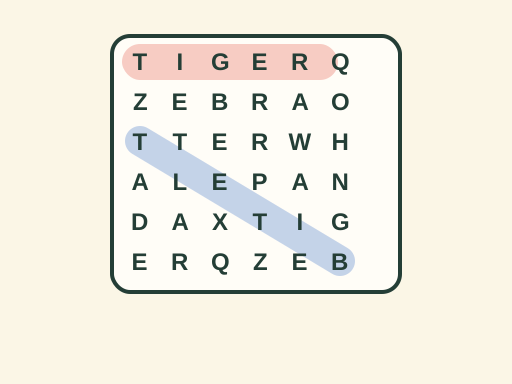
- A correct word is highlighted in color and crossed off the list. If your selection does not match a hidden word, it is cleared so you can try again.
- Find every word on the list to finish the puzzle and see your time.
The counter at the top shows how many words you have found and how many are left. The timer starts as soon as the puzzle appears.
Controls
| Action | Mouse | Touch |
|---|---|---|
| Select a word by dragging | Press on the first letter and drag to the last | Touch the first letter and slide to the last |
| Select a word by clicking | Click the first letter, then the last | Tap the first letter, then the last |
| Change grid size | Small, Medium or Large | Small, Medium or Large |
| Get a new puzzle | New puzzle button | New puzzle button |
Selections must follow a straight line: across, down or at a 45-degree diagonal.
Grid sizes
- Small is an 8×8 grid with 6 words. Words only read forward, so it is the easiest size and ideal for children.
- Medium is a 10×10 grid with 8 words, hidden in all eight directions.
- Large is a 12×12 grid with 11 words, hidden in all eight directions. Expect plenty of backward and diagonal words.
Each size keeps its own best time.
Strategy tips
- Look for unusual letters. The random filler letters never include J, Q, V, X or Z. If you spot one of those letters, it belongs to a hidden word.
- Hunt for the first two letters. Pick a word, find its first letter, then check the eight squares around it for the second letter.
- Start with the longest words. Long words cover more of the grid and are easier to spot than short ones.
- Scan in one direction at a time. Read every row, then every column, then the diagonals. It is easier to spot a word when you only look one way.
- Remember backward words. On Medium and Large, a word you cannot find may be written from right to left or from bottom to top.
- Use the theme. Knowing the topic helps you recognize partial words faster, especially on larger grids.
Frequently asked questions
What themes are included?
There are ten themes, Animals, Food, Space, Sports, Nature, School, Weather, Music, Ocean and Colors. Each new puzzle picks a theme at random and shows it at the top of the game, so you know what kind of words to look for.
Can words be written backward?
On Medium and Large, yes. Words can run in all eight directions, including right to left, bottom to top and backward along both diagonals. On Small, words only read forward, left to right, top to bottom or diagonally to the right, which makes it a good size for younger players.
Can two words share a letter?
Yes. Words can cross each other and share a letter where they meet, just like in a printed word search. A letter you have already used in one word may be part of another.
Do I need to select a word from its first letter?
No. You can select a word from either end. Drag from the last letter back to the first, or click the last letter and then the first, and the game still counts it.
Is my progress saved?
Your best time for each grid size and your chosen size are saved in this browser. A puzzle in progress is not saved, so reloading the page gives you a new puzzle.
Is Word Search good for kids?
Yes. The word lists use everyday vocabulary, and the Small grid keeps every word reading forward. Searching for words is a fun way to practice spelling, letter patterns and focus. The game has no chat and needs no account.
Game not loading or controls not responding? See help with loading, controls and saves.