Updated
About Snake
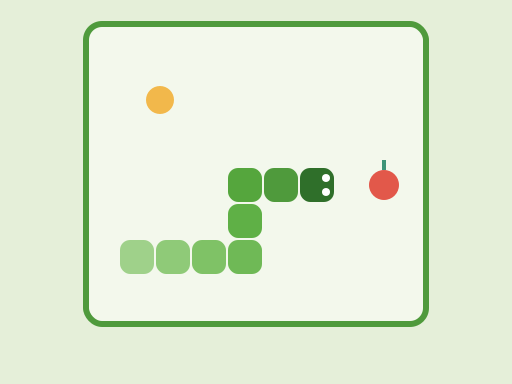
Snake is one of the best-known arcade games. You steer a snake around a walled board, eating fruit to grow longer. The snake never stops moving, and every fruit adds another segment to its tail. The game ends when the snake runs into a wall or into its own body. The longer you survive, the harder it gets to find safe paths across the board.
This version was written for TapGameHub. It is played on a 20×20 board with three speed settings, an optional wrap-around mode and a golden bonus fruit. It works with a keyboard, swipes or on-screen buttons, and your best score is kept in this browser.
How to play
- Press an arrow key or swipe on the board to start. The snake begins moving to the right.
- Steer toward the red fruit. Eating it adds points and makes the snake one segment longer.
- Avoid your own body. With walls on, avoid the edges of the board too.
- Every fifth fruit also brings a golden fruit for a few seconds. Grab it for bonus points.
- The snake speeds up a little with each fruit. See how long you can last.
The snake cannot reverse straight back into itself. Pressing the opposite direction does nothing, so a quick mistaken key press will not end your game. You can queue up to three turns in a row, which helps with tight corners at high speed.
Controls
| Action | Keyboard | Touch |
|---|---|---|
| Turn | Arrow keys or W, A, S, D | Swipe on the board, or the direction buttons |
| Pause or resume | Space, P or the Pause button | Pause button |
| Change speed | Relaxed, Classic or Fast button | Relaxed, Classic or Fast button |
| Switch walls or wrap around | Walls button | Walls button |
Click inside the game before you use the keyboard. The game pauses by itself if you switch to another tab.
Speed settings
- Relaxed is the slowest speed and scores 1 point per fruit. A good choice for younger players or for learning to plan routes.
- Classic is the standard pace and scores 2 points per fruit.
- Fast is for experienced players and scores 3 points per fruit. Combined with the gradual speed-up, late games are a real test of reflexes.
Strategy tips
- Hug the edges early. While the snake is short, moving along the walls keeps the middle of the board open for later.
- Leave yourself an exit. Before you turn into a narrow gap, check that you will be able to get out once your tail follows you in.
- Sweep in rows. When the snake gets long, move back and forth across the board in neat lines. It is slower, but it rarely traps you.
- Follow your tail. The square your tail is leaving is safe on the next move, unless you are about to eat a fruit. When you are boxed in, chasing your tail buys time.
- Weigh the golden fruit. It is worth several red fruits, but it disappears after six seconds. Skip it if reaching it means cutting through a tight space.
- Try wrap around for practice. Without walls, you can focus on managing your body before switching back to the harder mode.
Frequently asked questions
How many points is each fruit worth?
A red fruit is worth 1 point on Relaxed, 2 on Classic and 3 on Fast. The golden fruit is worth 5, 7 or 9 points on the same speeds. Faster settings score more for every fruit you eat.
What is the golden fruit?
After every fifth red fruit, a golden fruit appears somewhere on the board for six seconds. It starts flashing when it is about to disappear. Reach it in time for a big bonus, but do not take risks with your tail to get there.
Does the snake get faster?
Yes. Each fruit you eat makes the snake a little quicker, up to 40% faster than the speed you started at. Long games become noticeably tense, especially on Fast.
What is the difference between Walls on and Wrap around?
With walls on, the snake dies if it hits the edge of the board. With wrap around, it leaves one side and comes back on the opposite side, so only your own tail can end the game.
Is my high score saved?
Yes. Your best score, your speed setting and your wall setting are saved in this browser. A game in progress is not saved. Changing the speed or the wall setting starts a new game.
Can I play Snake on a phone?
Yes. Swipe on the board to turn, or use the on-screen direction buttons. The board leaves room for the buttons on touch screens, and the game pauses automatically if you switch to another app or tab.
Game not loading or controls not responding? See help with loading, controls and saves.