Updated
About FreeCell
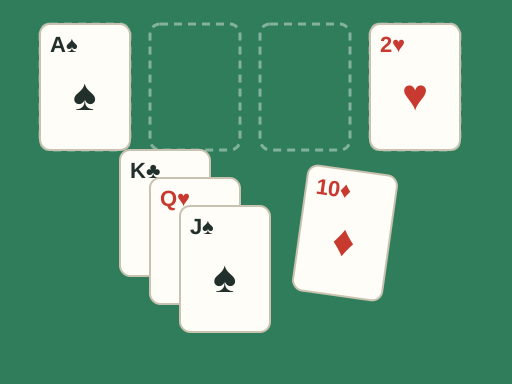
FreeCell is a solitaire card game played with a single 52-card deck that is dealt face up into eight columns. Above the columns are four free cells, which each hold one card, and four foundations, one for each suit. The goal is to move all 52 cards to the foundations, building each suit up from ace to king.
Unlike Klondike, every card is visible from the start and there is no stock pile to draw from. That makes FreeCell a game of planning rather than luck: almost every deal can be solved if you think a few moves ahead. This TapGameHub version uses the classic numbered deals, lets you undo as many moves as you like and tracks how many games you have won.
How to play
- Look over the deal. Find the aces and twos and note which cards are covering them.
- Select a card by clicking it, then click where you want it to go. You can move the bottom card of a column, a card in a free cell, or an ordered run from the bottom of a column.
- In the columns, build down in alternating colors: a red 7 can go on a black 8, and a black 6 can go on that red 7.
- Any card can go into an empty free cell or an empty column.
- Build the foundations up by suit from ace to king. The game is won when all four foundations reach the king.
The Moves and Time counters show how you are doing. When you win, the game shows the deal number, your move count and your time.
Controls
| Action | Mouse | Touch |
|---|---|---|
| Select a card or run | Click it | Tap it |
| Move the selection | Click the destination | Tap the destination |
| Cancel the selection | Click the same card again | Tap the same card again |
| Send a card up or to a free cell | Double-click | Tap the card, then the foundation or cell |
| Undo a move | Undo button | Undo button |
| Replay or change the deal | Restart deal or New deal | Restart deal or New deal |
When you select a card in the middle of a column, the game selects it together with the cards below it if they form an ordered run. Otherwise it selects only the bottom card.
Strategy tips
- Free the aces early. Look for aces and twos buried deep in a column and plan how to dig them out first.
- Treat free cells as a last resort. Every card you park in a free cell reduces how many cards you can move at once. Try to fill a cell only when you can see how it will be emptied.
- Empty a column when you can. An empty column is worth more than a free cell, because it doubles the size of the runs you can move.
- Do not fill an empty column with a single low card. Put a long run or a king there instead, so the column keeps working for you.
- Build long ordered runs. Neatly ordered columns are easy to move later. Breaking a run apart usually costs you space you will need.
- Use Undo to test ideas. Undo has no limit, so you can try a line of play and step back if it leads nowhere.
Frequently asked questions
Can every FreeCell deal be solved?
Almost. This game uses the classic numbered deals from 1 to 32000 that most FreeCell programs share. Of those 32,000 deals, only deal 11982 is known to have no solution. Every other deal can be won, although some take careful planning.
What does the deal number mean?
Each number always produces the same layout, so deal 1 here is the same deal 1 that players have been solving for decades. Restart deal replays the current number from the beginning. New deal picks a random number between 1 and 32000.
How many cards can I move at once?
Officially you move one card at a time, but the game lets you move a whole ordered run when you have enough free space to do it one card at a time. With no empty columns you can move one card more than the number of empty free cells. Each empty column doubles that number, but an empty column you are moving into does not count.
Why do some cards go to the foundations on their own?
The game moves a card to its foundation automatically only when no other card could ever need to be placed on it. Low cards such as aces and twos always go up. Other cards wait until both foundations of the opposite color have caught up, so the automatic moves never block your plans.
Is my game saved if I close the page?
The game remembers the current deal number and how many games you have won in this browser. Moves within a deal are not saved, so reopening the page starts the same deal again from the beginning.
Can I play FreeCell on a phone?
Yes. Tap a card to select it, then tap the column, free cell or foundation where you want it to go. Tap a selected card again to cancel. To send a card to its foundation, tap the card and then tap the foundation.
Game not loading or controls not responding? See help with loading, controls and saves.