Updated
About 2048
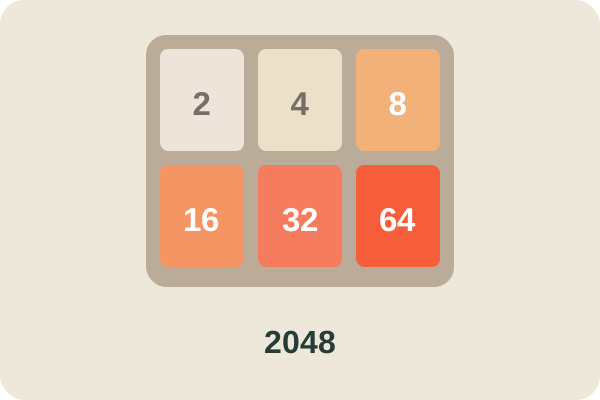
2048 is a single-player sliding tile puzzle played on a 4×4 grid. Each move slides every tile on the board as far as it can go in one direction. When two tiles with the same number touch, they merge into one tile with their sum: two 2s become a 4, two 4s become an 8, and so on. The goal is to build a tile with the number 2048. The game ends when the board is full and no merge is possible.
The original 2048 was created by Gabriele Cirulli in 2014 and released as open-source software. It became one of the most popular browser puzzles ever made. This TapGameHub edition is hosted directly on our site, uses the original game code under its MIT license, and saves your board and best score in your browser.
How to play
- The game starts with two tiles on the board.
- Press an arrow key or swipe to slide all tiles in that direction.
- Tiles with the same number merge when they collide. Each tile can merge only once per move.
- After each move, a new 2 or 4 appears in an empty square.
- Keep merging to build bigger numbers. Reach 2048 to win.
- If the board fills up and no two neighboring tiles match, the game is over.
Your current score and best score are shown above the board.
Controls
| Action | Keyboard | Touch |
|---|---|---|
| Slide tiles up | Up arrow, W or K | Swipe up |
| Slide tiles down | Down arrow, S or J | Swipe down |
| Slide tiles left | Left arrow, A or H | Swipe left |
| Slide tiles right | Right arrow, D or L | Swipe right |
| Start a new game | R or New Game button | New Game button |
| Continue after 2048 | Keep going button | Keep going button |
Click inside the game before you use the keyboard.
Strategy tips
- Pick a corner and stay there. Keep your largest tile in one corner, for example the bottom left, and build around it.
- Use mostly two or three directions. If your big tile is in the bottom left, rely on down and left, use right when you must, and avoid up. Moving up can pull a small tile into your corner.
- Build a descending row. Line up tiles along the edge in decreasing order, such as 256, 128, 64, 32. A row like this can collapse into the corner in a chain of merges.
- Keep the board open. Merge small tiles early instead of letting 2s and 4s pile up. Empty squares give you room to recover from bad spawns.
- Think one move ahead. Before each move, picture where the new tile could appear and whether it would block your row.
- Do not chase merges in the middle. A merge that drags your biggest tile out of its corner often costs more than it gains.
Frequently asked questions
What happens when I reach the 2048 tile?
You win, and the game offers two choices. Keep going lets you carry on with the same board to chase 4096 and beyond, with your score still counting. Try again starts a fresh board.
How is the score calculated?
Every time two tiles merge, the value of the new tile is added to your score. Merging two 8s adds 16 points, and merging two 1024s adds 2048 points. Your best score is kept so you can try to beat it.
Which number appears after each move?
After every move that changes the board, one new tile appears in a random empty square. It is a 2 nine times out of ten and a 4 the rest of the time. A move that does not shift any tile does not add a new one.
Is there an undo button?
No. Like the original game, this edition has no undo, so think about where your tiles will end up before every move, especially when the board is nearly full.
Is my game saved if I close the page?
Yes. The board, your current score and your best score are saved in this browser after every move. When you come back, you continue exactly where you left off. New Game clears the current board but keeps your best score.
Can I play 2048 on a phone?
Yes. Swipe up, down, left or right anywhere on the board to slide the tiles. The board scales to fit smaller screens, and your progress is saved the same way as on a computer.
Game not loading or controls not responding? See help with loading, controls and saves.