Updated
About Minesweeper
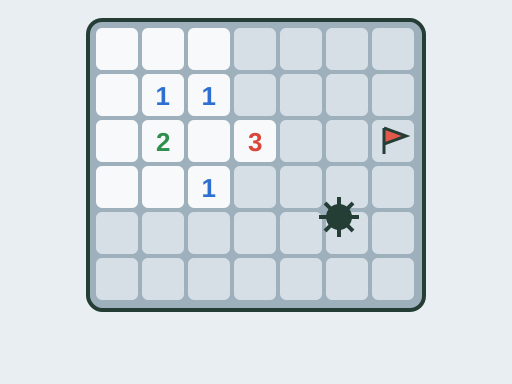
Minesweeper is a logic puzzle played on a grid of covered squares, some of which hide mines. Uncover a safe square and it shows a number: how many of the eight squares around it contain a mine. Uncover a mine and the game is over. You win by uncovering every square that is not a mine. Placing flags is optional, but flags make it much easier to keep track of what you have already worked out.
This version was written for TapGameHub. It has three classic board sizes, a guaranteed safe opening, quick-clear by clicking numbers and full touch support with long-press flagging. Your best time on each board is kept in this browser so you can try to beat it.
How to play
- Click any square to start. The first click always opens a blank area surrounded by numbers.
- Read the numbers. A 1 next to only one covered square means that square is a mine. A number that already touches the right count of mines means its other neighbors are safe.
- Mark mines with a flag: right-click the square, long-press it on a touchscreen or turn on Flag mode.
- Uncover the safe squares. Blank squares open their neighbors automatically, so large empty areas clear in one click.
- Keep going until every safe square is open. The timer stops and your time is compared with your best for that difficulty.
When you hit a mine, all the remaining mines are shown and any flag you placed on a safe square is marked as wrong. Choose View board to study what happened, or Try again to start a new board.
Controls
| Action | Mouse and keyboard | Touch |
|---|---|---|
| Uncover a square | Left-click | Tap |
| Place or remove a flag | Right-click | Long-press, or tap with Flag mode on |
| Switch Flag mode on or off | F key or Flag mode button | Flag mode button |
| Open all neighbors of a number | Click the number | Tap the number |
| Start a new board | New game button | New game button |
Click inside the game before you use the F key.
Difficulty levels
- Easy: 9×9 board with 10 mines. A good place to learn the basic patterns.
- Medium: 16×16 board with 40 mines. More open space, more patterns to combine and longer games.
- Hard: 16×30 board with 99 mines. Dense mine fields where careful flagging matters and a single mistake can end a long game.
The game remembers the difficulty you chose last and keeps a separate best time for each one.
Strategy tips
- Start with the 1s. A 1 that touches only one covered square tells you exactly where a mine is. Flag it, then look at what that flag tells the neighboring numbers.
- Count what is already satisfied. If a number touches as many flags as its value, every other square around it is safe. Click the number to open them all at once.
- Learn the 1-2-1 and 1-2-2-1 patterns. Along a straight edge, a 1-2-1 means the mines sit next to the two 1s, and a 1-2-2-1 means they sit next to the two 2s. These patterns appear on almost every board.
- Work from the edges of open areas. Squares bordering a cleared region carry the most information. Covered squares deep inside the board tell you nothing yet.
- Use the mine counter near the end. When only a few squares are left, compare the remaining mine count with the covered squares. It often settles the last cells without a guess.
- Guess as late as possible. If you are truly stuck, clear everything you can prove safe first. Then pick the guess that, if it is safe, opens the most new information.
Frequently asked questions
Is the first click always safe?
Yes. Mines are placed only after your first click, and never on that square or the eight squares around it. Your first click always opens a blank area, which gives you a few numbers to start working from.
How many mines are on each board?
Easy has 10 mines on a 9×9 board, Medium has 40 mines on a 16×16 board, and Hard has 99 mines on a 16×30 board. The Mines counter shows the total minus the number of flags you have placed.
What does clicking a number do?
Clicking an uncovered number opens all of its unflagged neighbors at once, but only when the number of flags around it matches the number. If the count does not match, nothing opens. If one of your flags is wrong, opening the neighbors can set off a mine.
Is my game saved if I leave the page?
Your best time for each difficulty is saved in this browser, along with the difficulty you chose last. A board in progress is not saved, so closing or reloading the page starts a new game.
Do I have to guess sometimes?
Occasionally, yes. Mines are placed at random apart from the safe first click, so some boards reach a point where two squares are equally likely to hide a mine. Clear every square you can prove safe first, then guess where the most information will be revealed.
Can I play on a phone?
Yes. Tap to uncover a square and long-press to place or remove a flag, or turn on Flag mode so every tap places a flag. Easy and Medium fit most phones. Hard is 30 squares wide and is easier on a tablet or computer.
Game not loading or controls not responding? See help with loading, controls and saves.