Updated
About Checkers
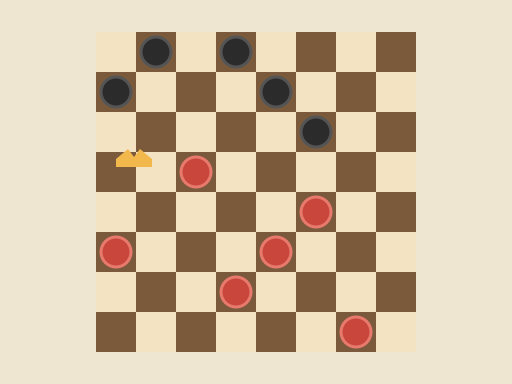
Checkers is a two-player strategy board game played on the dark squares of an 8×8 board. Each side starts with twelve pieces on the three rows closest to them. Pieces move diagonally forward and capture by jumping over an opponent’s piece into the empty square behind it. A player wins when the opponent has no pieces left or cannot make a legal move.
The rules are quick to learn, but compulsory captures make the game surprisingly tactical: you can force your opponent into a jump that sets up a bigger one for you. This TapGameHub version lets you play against the computer or against a friend on the same screen, with undo, move highlights and automatic saving.
How to play
- You play Red at the bottom of the board and move first. Pieces that can move this turn have a light outline.
- Select a piece. Dots appear on every square it can reach.
- Select a dot to move. A normal move goes one square diagonally forward onto an empty dark square.
- To capture, jump diagonally over an adjacent opposing piece into the empty square directly beyond it. The captured piece is removed.
- If the piece can keep jumping after a capture, it must. Select the final square of the chain and the whole multi-jump is played at once.
- Reach the far row to crown your piece as a king. Kings can move and capture backward as well as forward.
- The game ends when one side cannot move. The counters at the top show how many pieces each side has left.
The squares of the last move stay highlighted, so you can always see what your opponent just did.
Controls
| Action | Mouse | Touch |
|---|---|---|
| Select a piece | Click it | Tap it |
| Move or jump | Click a highlighted dot | Tap a highlighted dot |
| Take back a move | Undo button | Undo button |
| Choose an opponent | vs Computer or 2 Players | vs Computer or 2 Players |
| Start over | New game button | New game button |
Against the computer, Undo takes back both the computer’s reply and your last move, so it is your turn again.
Strategy tips
- Keep your back row together. Pieces on your home row stop the opponent from crowning. Move them last.
- Control the center. Pieces in the middle of the board have more options and are harder to trap than pieces on the edges.
- Move in pairs. A piece with a friend behind it cannot be jumped from that side. Lone pieces in front of your lines are easy targets.
- Use forced captures. Offer a piece when the opponent’s compulsory jump will leave their pieces in position for a double or triple jump of your own.
- Trade when you are ahead. Every even exchange makes a material lead count for more, especially in the endgame.
- Race for a king. Kings are worth far more than ordinary pieces. A clear path to the far row is often worth giving up a piece.
Frequently asked questions
Which checkers rules does this game use?
It follows the standard American and English rules, also called English draughts. The board is 8×8, pieces move diagonally on the dark squares, captures are compulsory, multi-jumps must be completed, and kings move one square at a time in any diagonal direction.
Do I have to take a piece when I can?
Yes. If any of your pieces can capture, you must make a capture that turn. You may choose which capture to make. If you select a piece that cannot capture while a capture is available, the game shows a reminder that a capture is required.
How does a piece become a king?
A piece is crowned when it reaches the far row. If that happens during a multi-jump, the move ends there, even if the new king could jump again. On its next turn the king can move and capture both forward and backward.
How strong is the computer?
The computer looks several moves ahead and weighs material, kings, advancement and control of the center. It plays a solid game that punishes loose pieces but can be beaten with careful play. There is one strength level.
Is my game saved if I close the page?
Yes. The board, whose turn it is and the opponent mode are saved in this browser after every move, so you can return to the same position later. Move history is not kept after a reload, so Undo starts fresh when you come back.
Can two people play on one device?
Yes. Choose 2 Players and take turns on the same screen. Red always moves first from the bottom of the board. Switching between vs Computer and 2 Players starts a new game.
Game not loading or controls not responding? See help with loading, controls and saves.