Updated
About Four in a Row
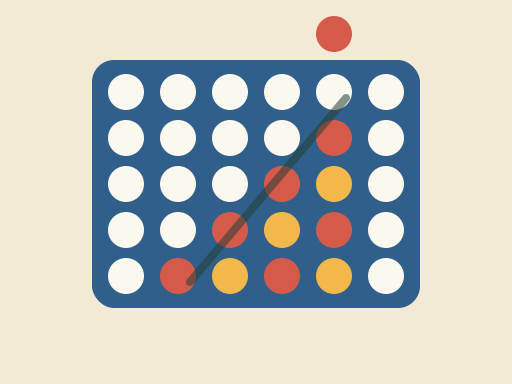
Four in a Row is a two-player connection game played on an upright grid with seven columns and six rows. Players take turns dropping a disc into a column, where it falls to the lowest empty space. The first player to line up four of their own discs in a row wins: horizontally, vertically or diagonally. It is quick to learn and every game takes only a few minutes, but it rewards planning several moves ahead.
This TapGameHub version is an original game. You can play against the computer or against a friend on the same screen. It includes undo, keyboard controls, a running score for both colors and a line that marks the winning four when the game ends.
How to play
- Red moves first. Against the computer, you are Red and the computer plays Gold.
- Move over a column to preview your disc above it, then click or tap to drop it.
- The disc falls to the lowest free space in that column. A full column cannot take any more discs.
- Players alternate turns. Try to build lines of your own while blocking your opponent’s.
- The first player to connect four discs in a row, column or diagonal wins.
- If the board fills up first, the game is a draw.
Controls
| Action | Mouse or touch | Keyboard |
|---|---|---|
| Choose a column | Move the pointer over it | Left and right arrow keys |
| Drop a disc | Click or tap the column | Enter, Space or down arrow |
| Drop straight into a column | Click or tap that column | Number keys 1 to 7 |
| Take back a move | Undo button | Undo button |
| Choose an opponent | vs Computer or 2 Players | vs Computer or 2 Players |
| Start over | New game button | New game button |
Click inside the game before you use the keyboard.
Strategy tips
- Start in the center. The middle column is part of more possible fours than any other. Opening there gives you the most options.
- Keep an eye on diagonals. Horizontal and vertical lines are easy to spot. Diagonal threats are the ones that usually slip past.
- Build two threats at once. If you can create two different places where one more disc would win, your opponent can only block one of them.
- Think about which spaces get filled first. A threat only counts when the space below it is filled. Plan threats that your opponent will be forced to set up for you.
- Do not fill the space under your opponent’s threat. If your opponent needs a particular space to win, avoid putting a disc directly beneath it.
- Use undo to study losses. When the computer wins, step back a few moves and look for the moment its trap was set.
Frequently asked questions
Can a game end in a draw?
Yes. If all 42 spaces fill up and nobody has connected four, the game is a draw. Draws are rare between strong players but do happen, especially when both sides block carefully.
Does the first player have an advantage?
Yes. In this game the first player can always win with perfect play by starting in the middle column. Red always moves first here, so against the computer you have the advantage. Make the most of it.
How strong is the computer?
The computer looks several moves ahead. It always takes a winning move when it has one and blocks your immediate threats. It also favors the center and builds its own threats. It is a tough opponent, but it can be beaten with a well-planned trap.
Can I undo a move?
Yes. Against the computer, Undo takes back the computer's reply and your last disc so it is your turn again. In 2 Players mode it removes the most recent disc. You can even undo after a game has ended to try a different finish.
Is the score saved?
The win counters for Red and Gold are saved in this browser and keep counting across games. A game in progress is not saved, so reloading the page starts a new board. Your choice of opponent is remembered.
Can two people play on one device?
Yes. Choose 2 Players and take turns dropping Red and Gold discs on the same screen. It works with a mouse, a keyboard or by tapping the columns on a phone or tablet.
Game not loading or controls not responding? See help with loading, controls and saves.